Vibe Hub
Dynamic Island for AI coding agents. Monitor Claude Code and OpenCode sessions from your Mac's notch or menu bar.
Latest: v1.3.1 · macOS 15+ · All releases
Dynamic Island for AI coding agents. Monitor Claude Code and OpenCode sessions from your Mac's notch or menu bar.
Latest: v1.3.1 · macOS 15+ · All releases
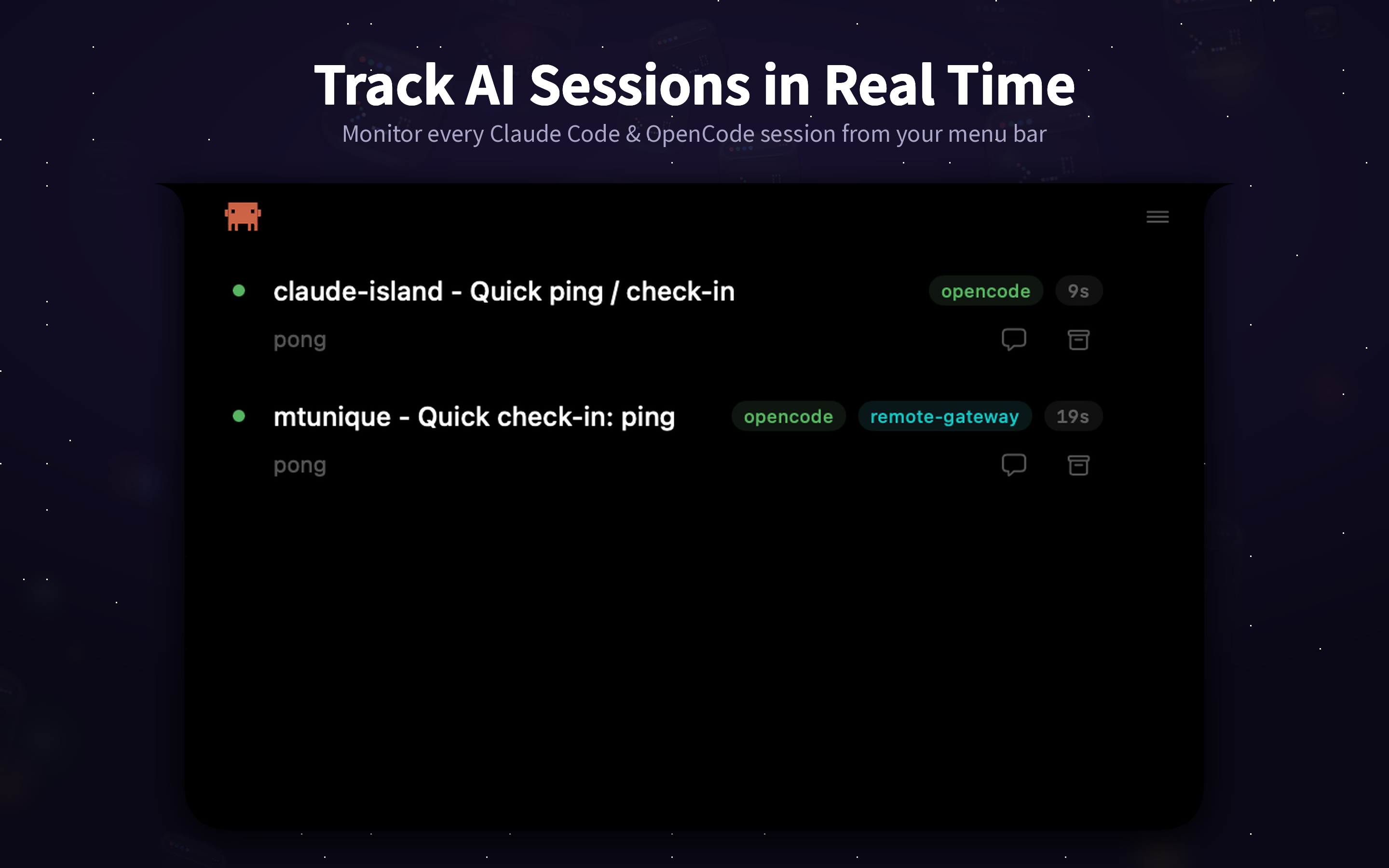
Monitor all Claude Code and OpenCode sessions at a glance — local and remote, with live phase indicators.
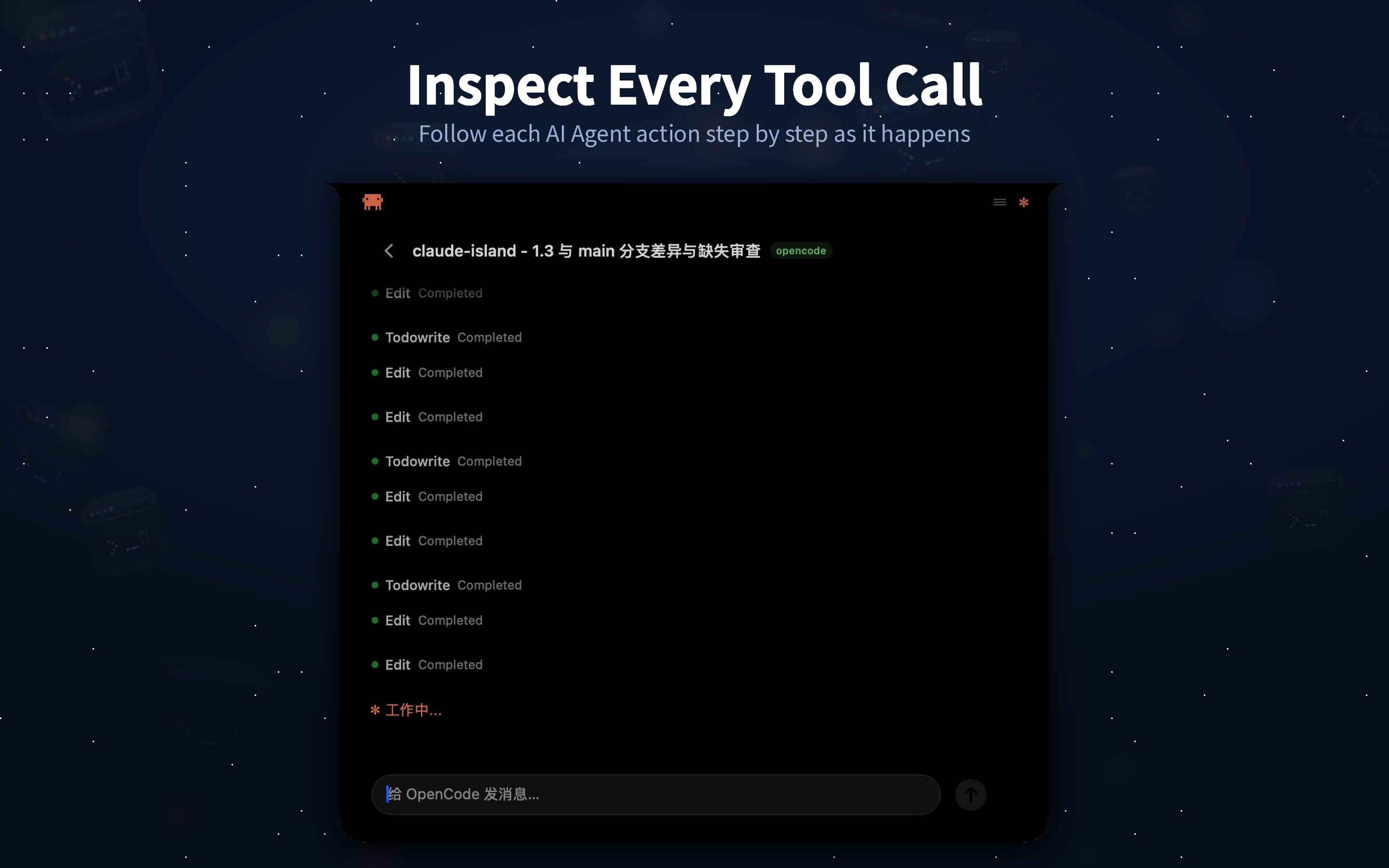
See every tool call in real time — edits, writes, commands, and MCP tools — with approve/deny controls.
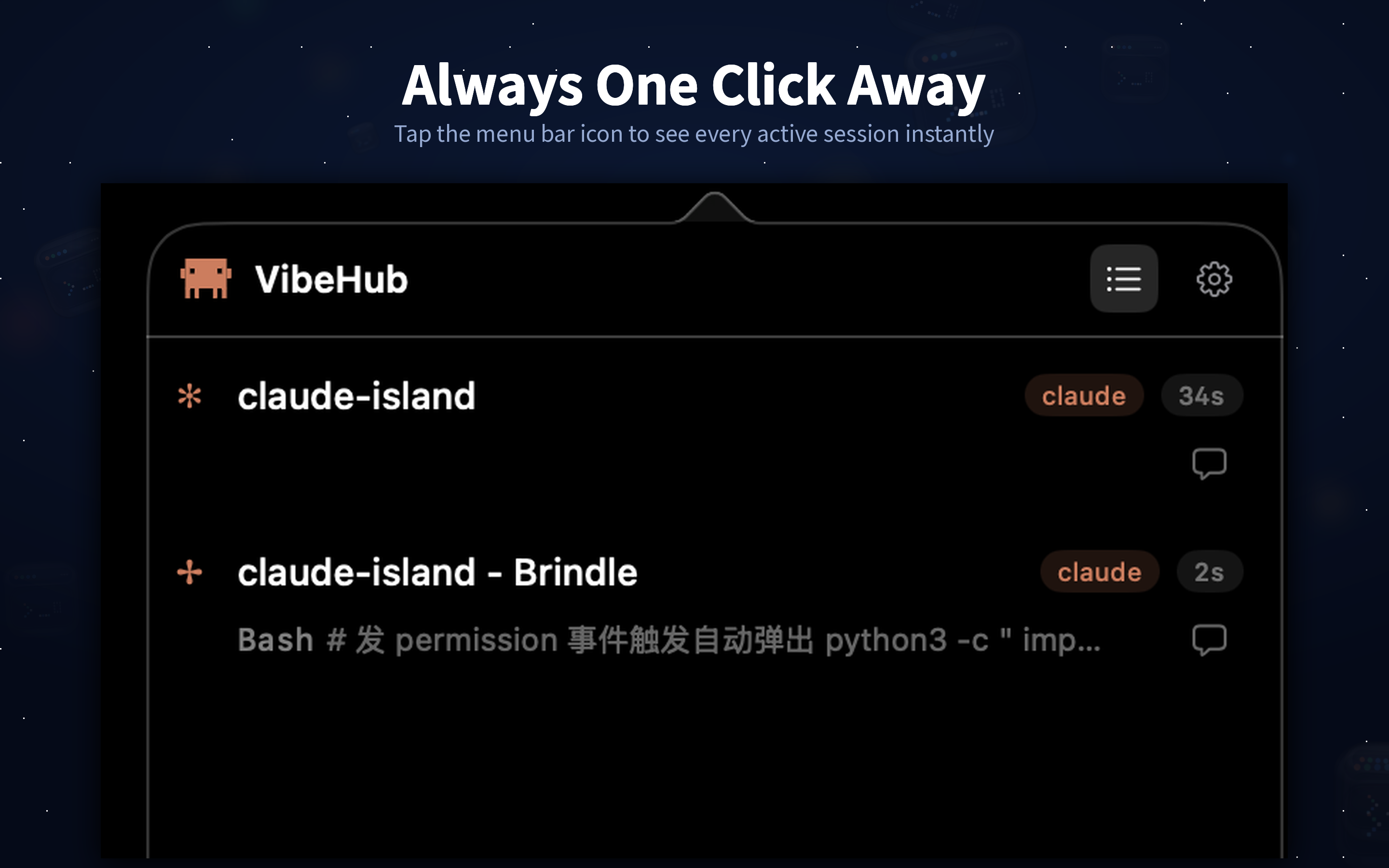
No notch? No problem. Animated crab icon shows live status on any Mac.
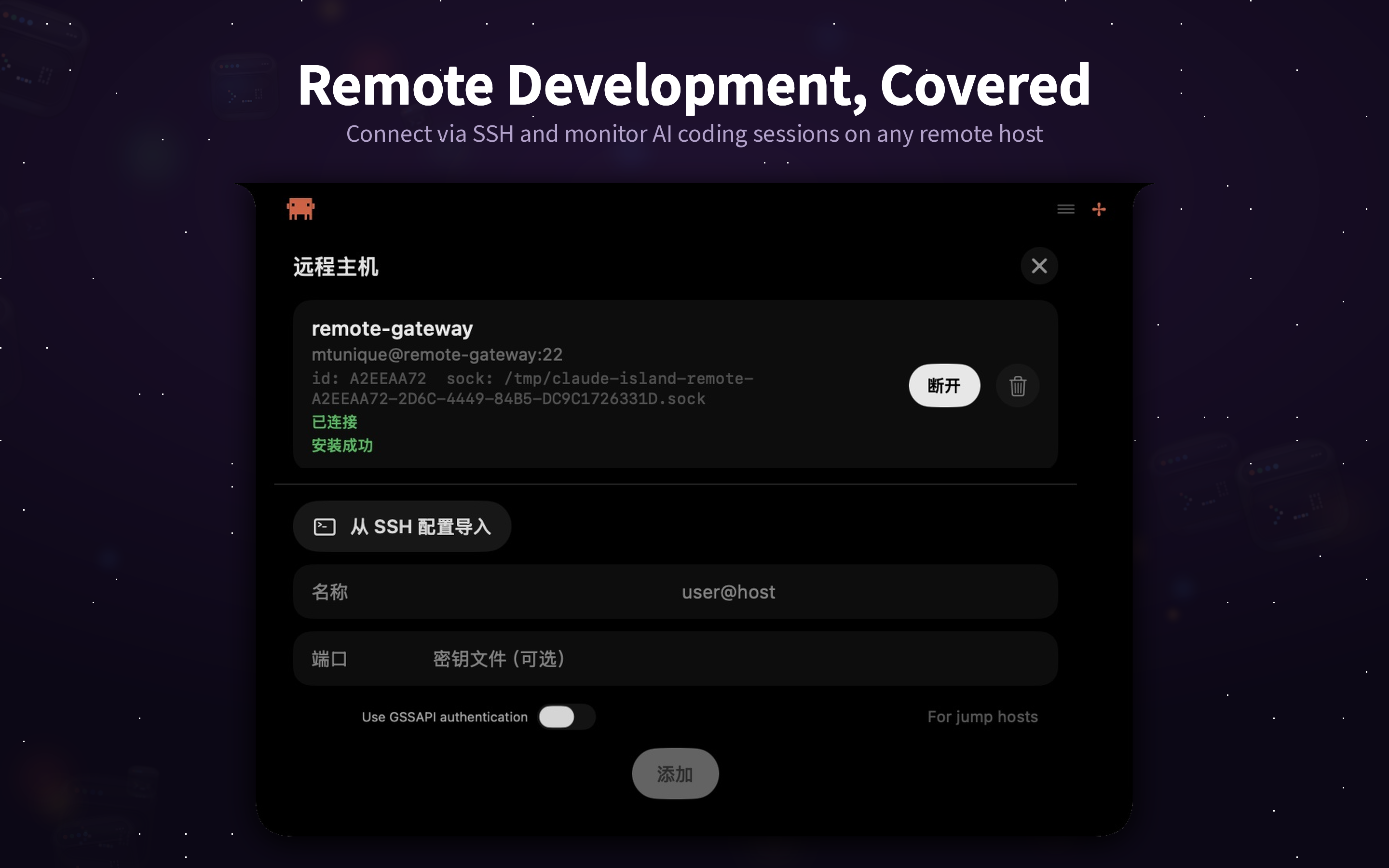
Add remote servers and monitor AI sessions over SSH — with automatic tab switching to the right terminal.
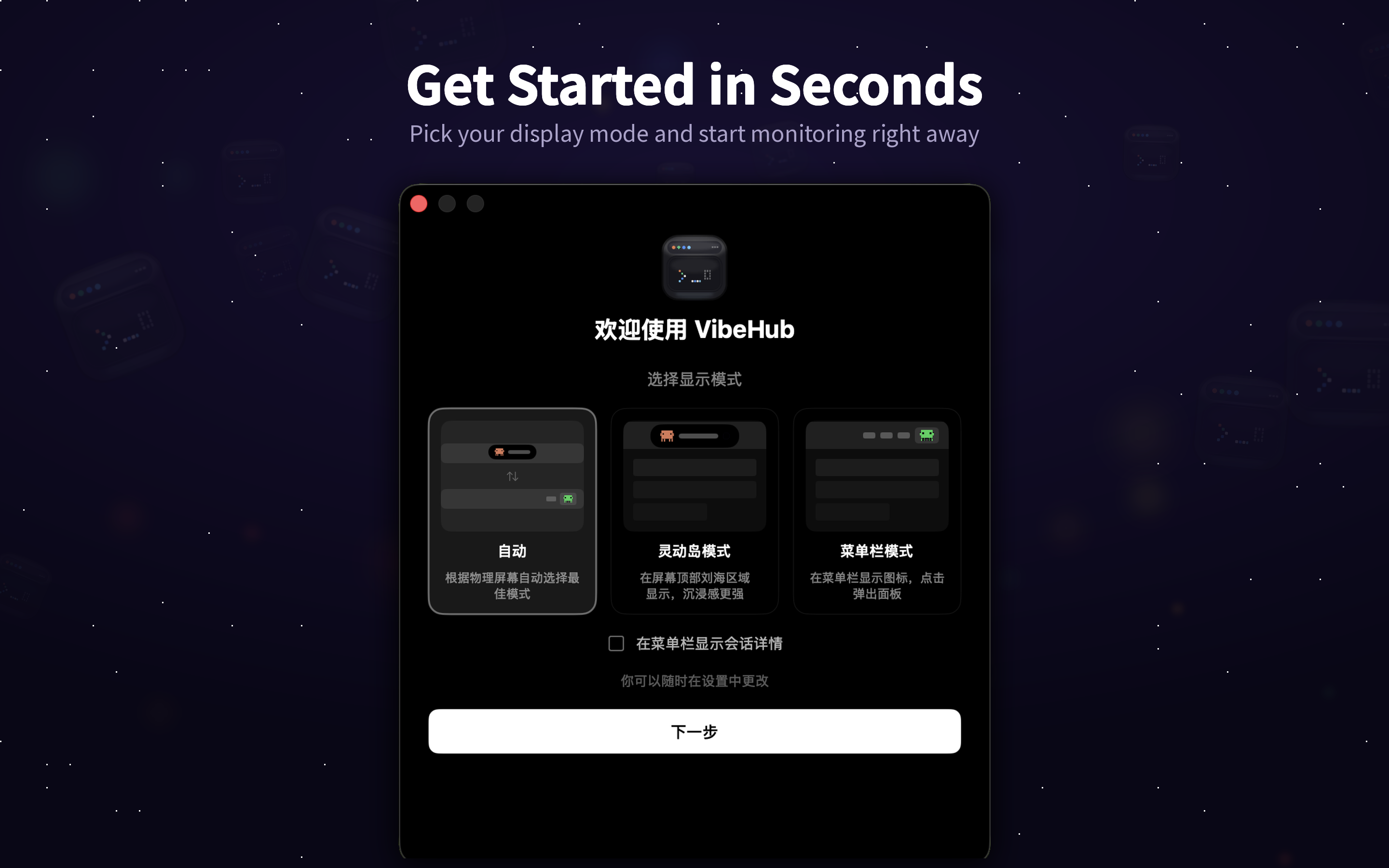
Pick your preferred mode on first launch. Auto mode adapts to your screen — notch or menu bar.
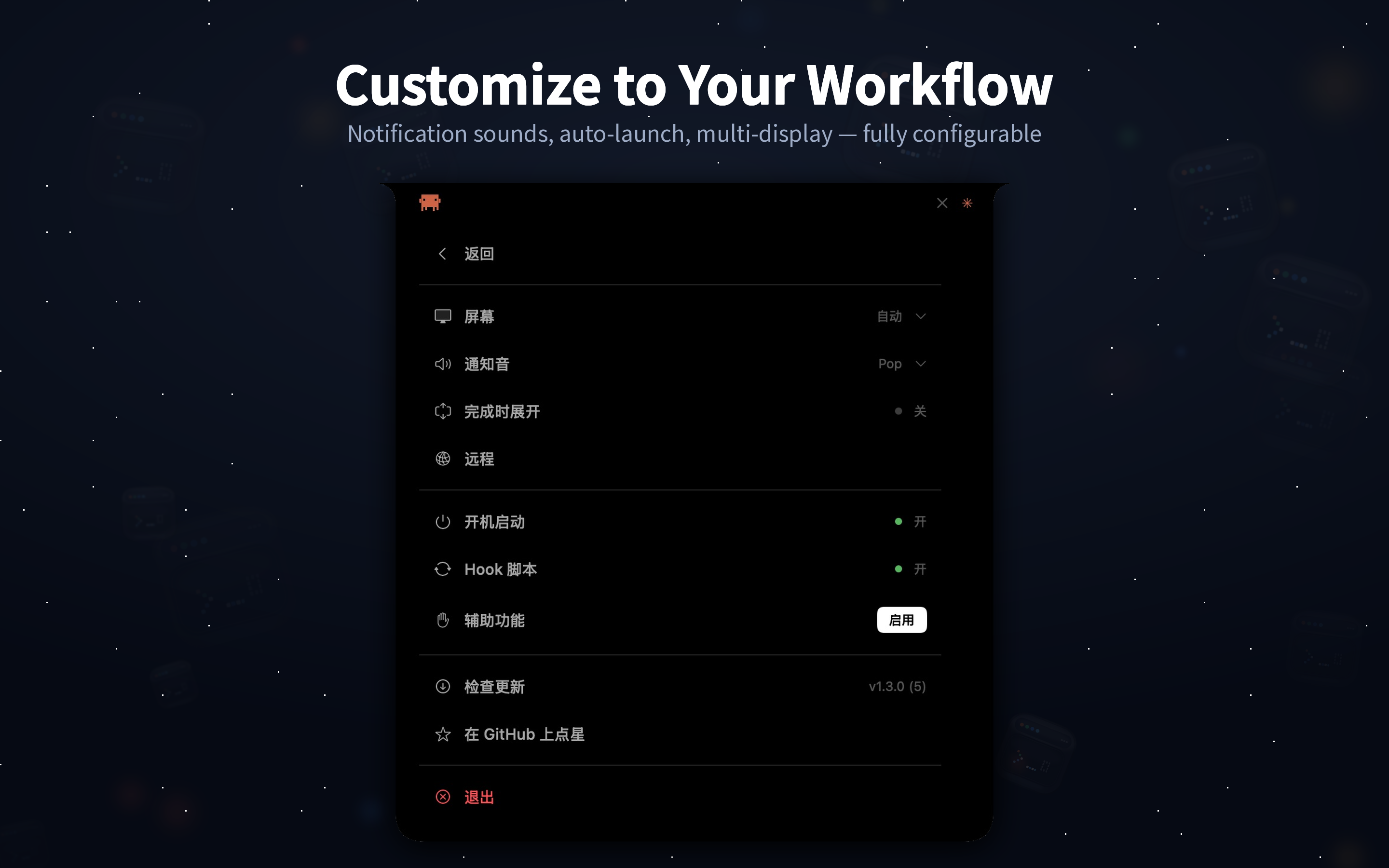
Display mode, notification sounds, multi-display support, remote hosts, and license management.
Smoothly animates from your MacBook's notch. Expands to show session details, collapses when idle.
Works on any Mac — even without a notch. Animated crab icon shows live status in the menu bar.
Automatically picks the best UI for your screen — Dynamic Island with notch, Menu Bar without.
Watch every file edit, bash command, and tool call as your AI agent works in real time.
Approve or deny tool executions directly from the overlay — no terminal switching needed.
Built-in libssh with reverse TCP forwarding. No spawned processes. Monitor AI on any remote server.
Clicking the eye icon switches to the exact SSH tab for that session — even with multiple connections to the same host.
Full conversation history with Markdown rendering. Review what your agent said and did.
Works with both Claude Code and OpenCode CLI. Hooks are installed automatically on first launch.
Download the DMG and drag Vibe Hub to Applications. Hook scripts are installed into ~/.claude/hooks/ automatically on first launch.
Use Claude Code or OpenCode as usual. The hooks send session events to Vibe Hub via a local Unix socket.
Live status, permission approvals, and results — all in the notch or menu bar, without leaving your editor.
Vibe Hub is open source and welcomes contributions — bug reports, feature ideas, and pull requests are all appreciated.